 ee
eeScanners ›
Is a Scanner Input or Output?
If you have ever set up a home office or a classroom workstation, you have probably stopped to wonder: is a scanner input or output? It is one of those surprisingly common questions in computer science, and the answer has real implications for how you think about your entire peripheral setup. The short answer is that a scanner is an input device — it captures information from the physical world and sends it into a computer. But understanding exactly why, and how that fits into the broader landscape of computer peripherals, is worth exploring in depth. Whether you are a student, a home user, or a professional managing a fleet of office equipment, knowing how your devices are classified helps you make smarter purchasing and configuration decisions. You can browse a full selection of options on our scanners page.
Scanners have been a staple of offices and creative workspaces for decades. From flatbed units that digitize printed photographs to document feeders that process stacks of paper in seconds, they come in many forms — but they all share the same fundamental role: taking something that exists in the physical world and converting it into digital data that a computer can process. That process, by definition, makes them input devices.
Contents
- Is a Scanner Input or Output? The Definitive Answer
- How Scanners Work: The Input Process Explained
- Types of Scanners and Their Input Mechanisms
- Scanner vs. Other Peripherals: Input vs. Output Comparison
- Is a Scanner a Processing Device?
- Choosing the Right Scanner for Your Needs
- Frequently Asked Questions
Is a Scanner Input or Output? The Definitive Answer
A scanner is unambiguously an input device. In computer science, input devices are hardware components that send data into a computer system. Output devices, by contrast, take data from the computer and present it in some form — visually, audibly, or physically — to the user or to the world. A scanner's entire job is to receive physical information (a document, a photo, a barcode, an object) and convert it into a digital signal the computer can store and manipulate. Data flows from the real world into the machine — that is the textbook definition of input.
What Is an Input Device?
An input device is any hardware that allows a user or the environment to provide data or control signals to a computer. Classic examples include keyboards, mice, microphones, webcams, and touchscreens. Each of these takes some form of real-world information — keystrokes, movement, sound, images, or touch — and translates it into electrical signals a processor can understand. According to the Wikipedia article on input devices, the defining characteristic is the direction of data flow: from the external environment toward the computer's central processing unit.
Scanners fit this definition perfectly. When you place a photograph on a flatbed scanner's glass plate and press the scan button, the device uses sensors to measure the light reflected from (or transmitted through) the image. It converts those measurements into a matrix of pixel values and sends that data to the computer via USB, Wi-Fi, or another interface. The computer receives the file — it did not generate it. Input.
What Is an Output Device?
Output devices take processed data from the computer and present it externally. Monitors display visual information. Speakers produce audio. Printers produce physical documents. A printer is frequently confused with a scanner because the two devices are often combined in all-in-one units, but their roles are fundamentally opposite. The printer takes digital data and produces a physical artifact — that is output. The scanner takes a physical artifact and produces digital data — that is input. Understanding this distinction is essential when setting up workflows that involve both, such as the kind of photo reproduction techniques described in our guide on how to print on fabric at home.
How Scanners Work: The Input Process Explained
To fully appreciate why a scanner is an input device, it helps to understand the physical and electronic process it uses to capture data. Modern scanners work by illuminating a document or image with a light source (usually LED or fluorescent), then measuring the light that bounces back using a linear array of sensors. This array moves across the document line by line, building up a complete digital representation of the original.
CCD vs. CIS Technology
The two dominant sensor technologies in flatbed scanners are CCD (Charge-Coupled Device) and CIS (Contact Image Sensor). CCD scanners use mirrors and lenses to focus reflected light onto the sensor array, which sits some distance from the document surface. This design allows for greater depth of field, making CCD scanners better suited to scanning books, thick documents, or three-dimensional objects where the surface is not perfectly flat against the glass. CIS scanners, on the other hand, place the sensor array directly against the glass, resulting in a thinner, lighter, and more energy-efficient design. CIS units are common in portable and sheetfed scanners. The trade-off is a shallower depth of field, which can cause edges of books or curled papers to appear slightly blurry.
Resolution, DPI, and Data Quality
Scanner resolution is measured in dots per inch (DPI) — the number of individual sample points captured per linear inch of the original document. For office documents and everyday paperwork, 300 DPI is typically sufficient. For archiving photographs or artwork where you want to enlarge the digital copy without losing detail, 600 DPI or higher is recommended. Professional photo scanners can reach 4800 DPI or beyond, capturing fine grain and detail that would be invisible to the naked eye. The volume of data generated scales rapidly with DPI: a letter-sized document scanned at 300 DPI in color produces a file of roughly 25 MB (uncompressed), while the same document at 1200 DPI generates approximately 400 MB.
Types of Scanners and Their Input Mechanisms
The category of "scanner" covers a surprisingly diverse range of hardware, each optimized for a specific type of input. What they share is the direction of data flow: physical world to digital file.
Flatbed Scanners
The flatbed scanner is the most recognizable type. It features a glass platen on which you lay the item to be scanned, and a moving scan head beneath the glass traverses the document. Flatbeds are versatile: they handle photos, books, loose pages, slides, film negatives (with a transparency adapter), and even small objects. They remain the gold standard for quality scanning because the document lies completely flat, maximizing contact with the scan area and producing consistent, distortion-free results.
Automatic Document Feeders
Automatic Document Feeders (ADFs) are designed for high-volume document digitization. Rather than scanning one page at a time, an ADF pulls sheets from a stack and feeds them past a stationary scan head. Many modern all-in-one printers include an ADF alongside a flatbed unit, giving users the flexibility to scan single photos with care or batch-process stacks of invoices quickly. Duplex ADFs can scan both sides of a page in a single pass, halving the time needed to digitize two-sided documents.
Handheld and Portable Scanners
Handheld scanners are compact devices that you drag manually across a document surface. They are popular for on-the-go digitization of receipts, business cards, and short documents. Some models connect wirelessly to smartphones, storing scans directly in cloud services. The trade-off is that image quality depends heavily on how steadily and evenly the user moves the device — software stabilization helps, but flatbeds consistently produce more accurate results for critical work.
3D and Barcode Scanners
Beyond document imaging, the scanner family extends to barcode readers, QR code scanners, and full 3D scanners. Barcode scanners are perhaps the most ubiquitous type — found at retail checkouts, warehouses, and hospital pharmacies worldwide. They read encoded patterns of lines or dots and send the decoded data (a product ID, a patient record number, a shipping label) to the connected computer. 3D scanners use structured light, laser triangulation, or photogrammetry to capture the geometry of physical objects and produce 3D models. All of these, regardless of their specific technology, are input devices: they gather external data and deliver it to a computer system.
Scanner vs. Other Peripherals: Input vs. Output Comparison
A clear comparison table helps solidify the distinction between input and output devices — and shows where scanners sit relative to other common peripherals you might have on your desk.
| Device | Classification | Data Direction | Primary Function |
|---|---|---|---|
| Flatbed Scanner | Input | Physical → Digital | Digitize documents, photos, objects |
| Printer | Output | Digital → Physical | Produce printed documents or images |
| Monitor / Display | Output | Digital → Visual | Display images, video, UI |
| Keyboard | Input | Physical → Digital | Enter text and commands |
| Webcam | Input | Physical → Digital | Capture video and still images |
| Speaker / Soundbar | Output | Digital → Audio | Produce sound from digital audio data |
| Microphone | Input | Physical → Digital | Capture audio |
| All-in-One Printer/Scanner | Both | Bidirectional | Print (output) and scan (input) |
| Barcode Scanner | Input | Physical → Digital | Read encoded data into system |
| Projector | Output | Digital → Visual | Project enlarged images onto a surface |
Notice that all-in-one devices occupy a special category. A multifunction printer that includes a built-in scanner contains both an input component (the scanner) and an output component (the printer). The device as a whole can be described as a combined input/output peripheral, but each function within it remains clearly one or the other. The scanning function is always input; the printing function is always output. This dual nature is one reason all-in-ones are so popular for home offices — they handle both directions of the document workflow in a single footprint.
Is a Scanner a Processing Device?
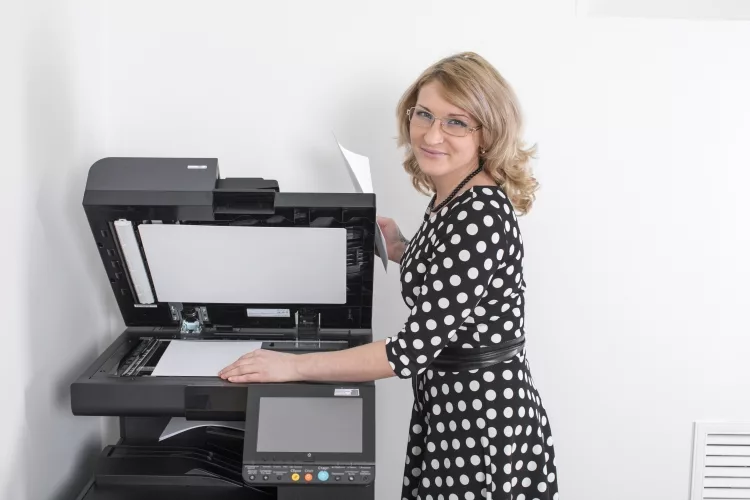
A related question that frequently comes up alongside "is a scanner input or output" is whether a scanner can also be considered a processing device. The distinction matters in computer architecture education, where the three fundamental categories are input, processing, and output — sometimes called the IPO model.
In the strict IPO sense, a scanner is not a processing device. Processing happens in the CPU, which interprets, transforms, and acts on data. A scanner's internal electronics do perform some operations — converting analog light signals to digital values, applying color calibration, and managing communication with the host computer — but this is best understood as signal conditioning rather than general-purpose computing. The scanner does not make decisions about the content of the document; it simply measures and transmits. The heavy lifting — OCR, image enhancement, color correction — happens in software running on the computer's processor.
OCR and Onboard Processing
Some high-end document scanners include onboard OCR (Optical Character Recognition) chips that can convert scanned text to searchable data before sending it to the host computer. This adds a layer of processing to the device, but the fundamental classification does not change: the device is still taking physical input and delivering usable digital data to the computer. The processing it performs is in service of that input function, not a separate output function. If your scanner driver or software has ever thrown errors during this stage, you may have encountered the kind of software-side issue documented in posts like resource leak: scanner is never closed, which explores how the scanning pipeline can break down at the software level.
Choosing the Right Scanner for Your Needs
Now that the classification question is settled, the practical matter is selecting the right scanner for your specific use case. The market offers options across a wide price and capability spectrum, and the best choice depends on what you intend to scan, how often, and at what quality level.
Scanners for Photos and Creative Work
If your primary goal is digitizing photographs — whether family prints, slides, or film negatives — you need a scanner with high optical resolution (at least 1200 DPI, preferably 2400 or higher), accurate color reproduction, and ideally a built-in transparency adapter for film. Dedicated film scanners can reach resolutions that extract every grain of detail from 35mm negatives, producing files large enough to print at poster size. For printed photo archiving, a quality flatbed at 600–1200 DPI produces excellent results. If you also plan to print your digitized photos afterward, pairing a high-quality scanner with one of the best printers for photographers gives you a complete analog-to-digital-to-analog pipeline for your image collection.
Scanners for Documents and Office Use
For office and productivity use, the priorities shift toward speed, paper handling capacity, and software integration. A desktop all-in-one with a 50-sheet ADF can process an entire filing cabinet's worth of documents in an afternoon, especially when paired with OCR software that creates searchable PDFs. Look for scanners with direct-to-cloud features if you want to send scans straight to Google Drive, Dropbox, or SharePoint without touching a PC. Wireless connectivity is increasingly standard and eliminates cable clutter, which matters in shared office environments where the scanner sits in a central location away from individual workstations.
Connection type also plays a role in multi-user setups. USB scanners work reliably for single-user scenarios, while network-connected scanners can be shared across multiple computers on the same network — an important consideration for small businesses where several people need occasional scanning access without each having a dedicated device.
Whatever your use case, understanding that a scanner is fundamentally an input device — a bridge from the physical world into the digital one — helps you evaluate its role in your workflow clearly. It is the starting point for document digitization, photo archiving, and data capture. Everything downstream, from OCR to print reproduction, depends on the quality of that initial input.
Frequently Asked Questions
Is a scanner input or output?
A scanner is an input device. It captures data from the physical world — a document, photograph, barcode, or object — and converts it into digital data that is sent to a computer. Because data flows from the external environment into the computer, scanners are classified as input devices by definition.
Why is a printer considered an output device but a scanner is not?
A printer takes digital data that already exists inside the computer and produces a physical result — ink on paper. That direction of data flow (from computer to the physical world) defines output. A scanner does the opposite: it takes something physical and sends digital data into the computer. Same hardware category, opposite data direction, opposite classification.
Is an all-in-one printer and scanner an input or output device?
An all-in-one multifunction device is both. Its printing function is an output operation, and its scanning function is an input operation. The device contains two separate subsystems with opposite roles. When evaluating an all-in-one for a specific task, consider which function matters most — print speed and quality for output-heavy workflows, scan resolution and ADF capacity for input-heavy ones.
Can a scanner also be a processing device?
In the strict IPO (Input-Process-Output) model used in computer science education, a scanner is classified as an input device rather than a processing device. While modern scanners do perform some internal signal processing — such as analog-to-digital conversion and color calibration — this is considered part of the capture process rather than general-purpose computing. Devices with onboard OCR chips blur this line slightly, but the scanner's primary classification remains input.
What is the difference between a flatbed scanner and a document scanner?
A flatbed scanner has a flat glass surface on which you place items one at a time; its scan head moves beneath the glass to capture the image. A document scanner (often called a sheetfed scanner or ADF scanner) pulls pages through a feed mechanism past a stationary scan head, allowing batch processing of multiple pages automatically. Flatbeds are better for photos, books, and fragile items; document scanners are faster for high-volume paperwork.
Is a barcode scanner an input or output device?
A barcode scanner is an input device. It reads encoded data from a physical label — whether a 1D barcode, QR code, or other format — and sends the decoded information to a connected computer or point-of-sale system. Like all scanners, the direction of data flow is from the physical world into the digital system, which is the defining characteristic of input devices.
 |
 |
 |
 |

About Rachel Chen
Rachel Chen writes about scanners, laminators, and home office productivity gear. She started her career as an office manager at a midsize law firm, where she was responsible for purchasing and maintaining all of the document handling equipment for a 60-person staff. That experience sparked a deep interest in archival workflows, paperless office setups, and document preservation. Rachel later earned a bachelor degree in information science from Rutgers University and now writes full time. She is a strong advocate for ADF reliability over raw resolution numbers and has tested every major flatbed and document scanner sold in the United States since 2018.